Your basic wardrobe, sorted
Build a basic wardrobe from real products, right inside Claude or ChatGPT
Tell the assistant your sizes. Wardrub lays out the essentials (tees, an oxford shirt, jeans, chinos, a sweater, a jacket, boots) with real, in-stock options, live prices and the brands people actually recommend. You shortlist; you buy at the store.
https://wardrub.com/mcp
How it works
Wardrub follows classic basic-wardrobe principles: plain, well-fitting pieces in neutral colors that all go together. There's a women's version too.
Ask
Ask for a basic wardrobe and give your sizes. Mention anything you already own and it's left out.
"Build me a basic wardrobe. I wear M shirts, 32x30 pants and US 10 shoes, and I already have white sneakers."
Browse the board
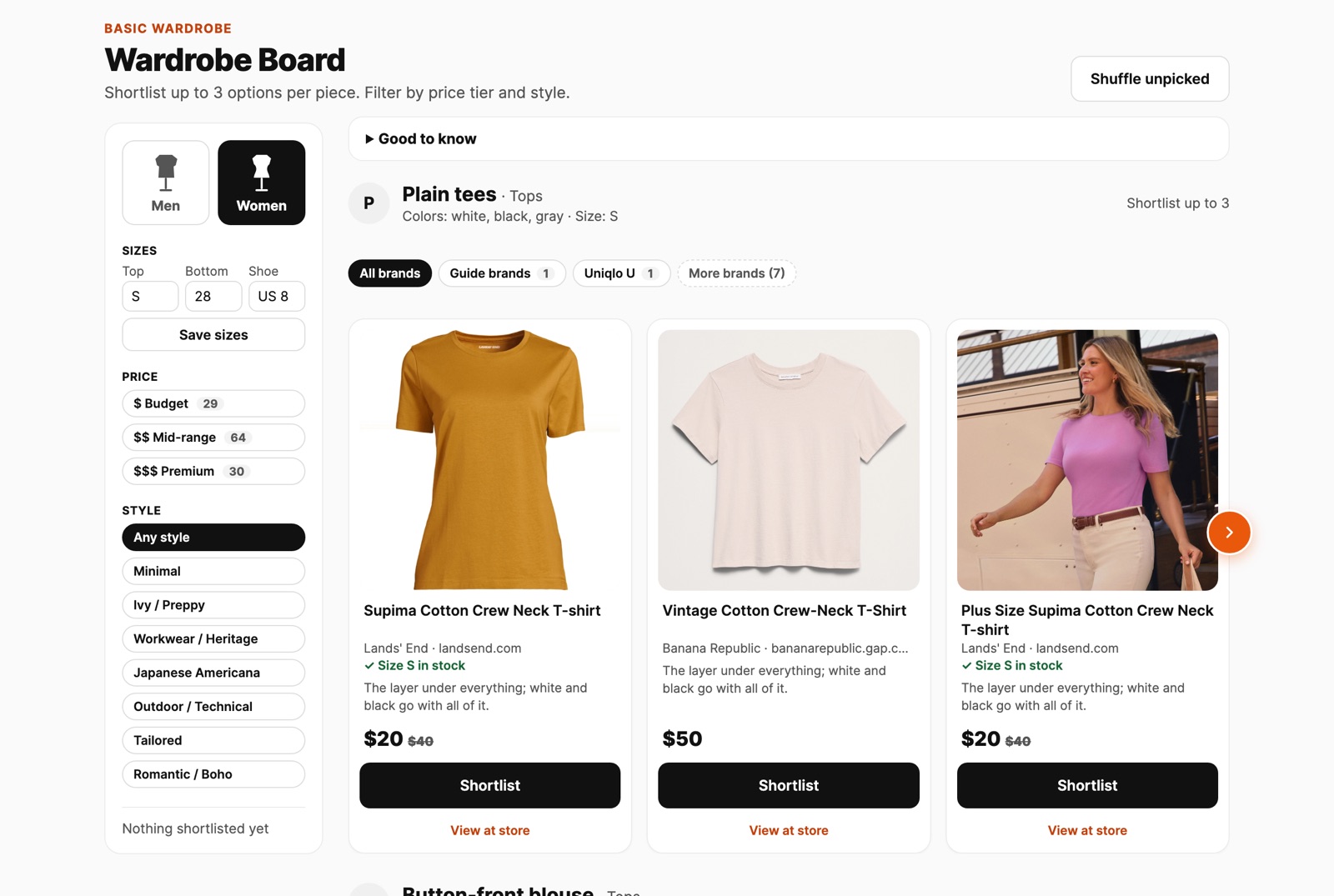
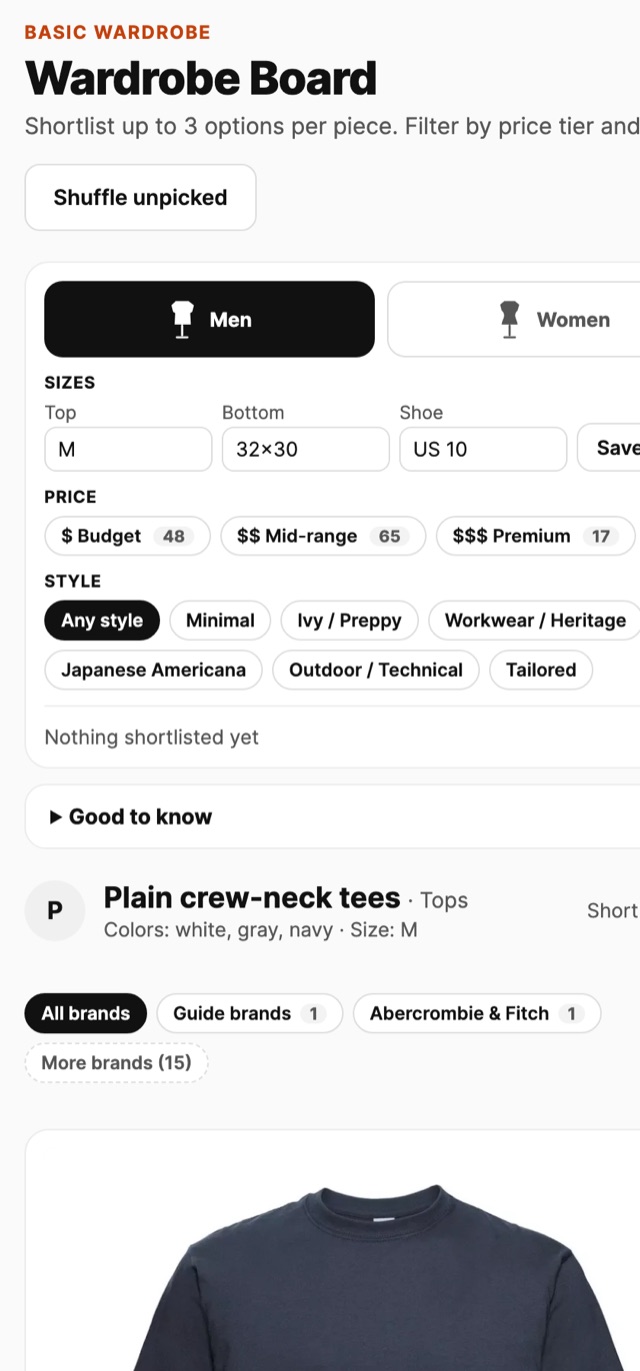
One row per piece, with real products from US stores. Filter by price tier ($, $$, $$$), style and brand, or switch between Men and Women. Sizes are checked against the store's stock.
Shortlist, then buy at the store
Shortlist up to three options per piece. "View at store" opens the retailer with the current price. Wardrub never buys anything for you.
See it
Real boards, real products. The board opens in the chat, can float beside it, or opens on its own page.
Add Wardrub to your AI
Wardrub is a connector (an MCP server). Add it once with this URL, then just ask.
Claude
- In Claude, open Customize → Connectors.
- Click + Add, then Add custom connector.
- Name it Wardrub and paste
https://wardrub.com/mcp. Click Continue. - Under Authentication choose No sign in, then Continue and Add.
- In a chat, click + → Connectors and switch Wardrub on. Then ask for a basic wardrobe.
Works on Claude's Free, Pro, Max, Team and Enterprise plans (Free allows one custom connector). On Team and Enterprise an owner adds it under Organization settings → Connectors first. The board shows right in the chat; use Keep beside chat or Open in browser to keep it open.
ChatGPT
- Open Plugins ("Manage plugins, skills, and MCPs"), go to the MCPs tab and click Add to connect a custom MCP.
- Name: Wardrub (any name works).
- Type: Streamable HTTP.
Pick Streamable HTTP, not STDIO. STDIO is for programs on your own computer; Wardrub runs on the web.
- URL:
https://wardrub.com/mcpLeave headers and tokens empty: no sign-in is needed. - Click Save, start a new chat and ask for a basic wardrobe (mention Wardrub if ChatGPT doesn't pick it up).
Menu names can differ between ChatGPT versions; the parts that matter are Streamable HTTP and the URL. On work accounts an admin may need to allow custom MCPs. If the board doesn't show inside the chat, open the board link in the reply: it's the same board in your browser.
https://wardrub.com/mcp
Good to know
Real, current products
Prices and stock come from the stores and are refreshed before you buy.
Your sizes, checked
Options sold out in your size are dropped. Sizes are never guessed.
No budget to set
Pick $ budget, $$ mid-range or $$$ premium, or see everything.
Free to use
Wardrub may earn a commission when you buy through a store link.